How to Disable the Samsung Pay Swipe Up Gesture
This article explains how to disable the Samsung pay swipe gesture on your device. Click the link to read the full guide.
Author:Daniel BarrettJul 08, 2022105.8K Shares2.4M Views
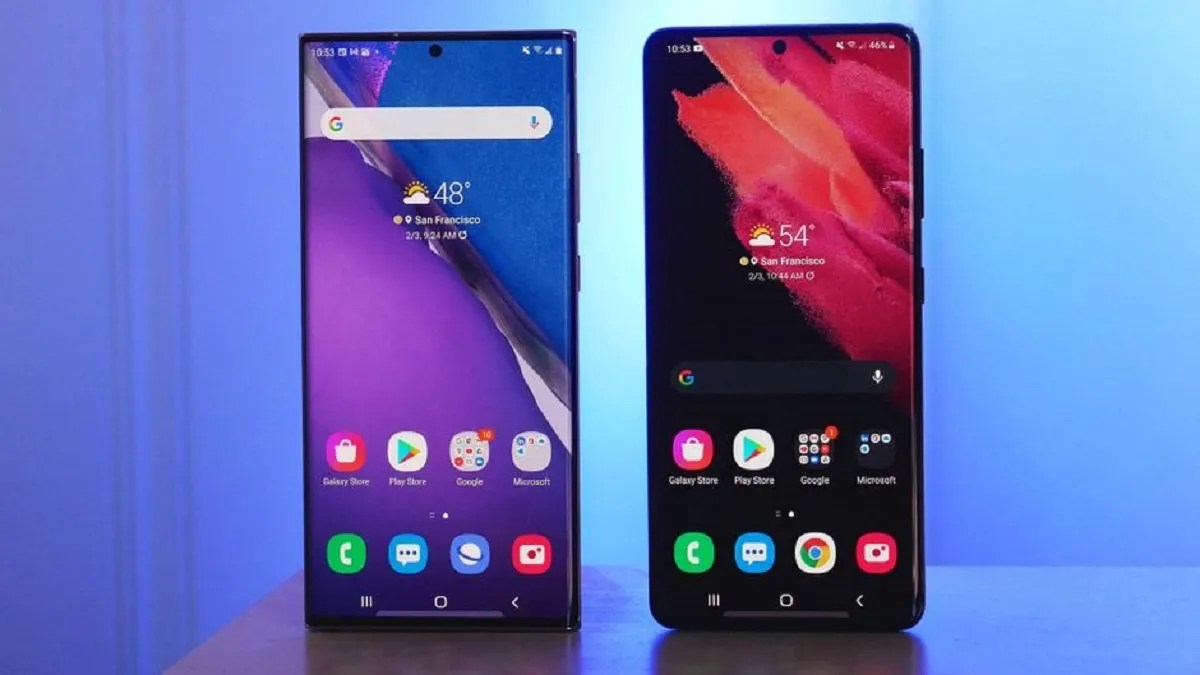
Samsung Pay is one of the best Google Pay alternatives, built with MST technology, allowing users to pay via Samsung Pay at old terminals. However, those applications are pre-installed apps designed to increase convenience or functionality but can’t or are hard to remove. This article explains how to disable the Samsung pay swipe gesture on your device.
How to Disable the Samsung Pay Swipe Up Gesture
We will show the methods to get your Samsung Pay Swipe up Gesture disabled:
Method 1: Disabling the App
- Swipe up to view your App drawer, and launch the Samsung Pay app.
- Tap on the hamburger menu in the upper left corner and select Settings.
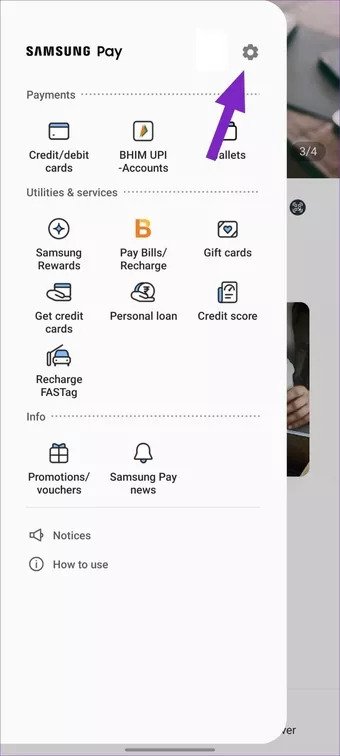
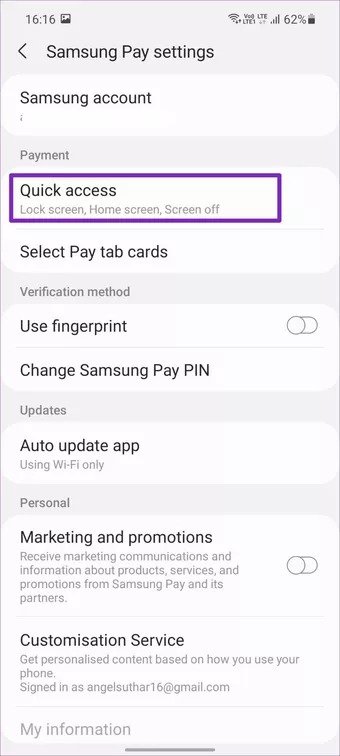
- Select Quick access under the Payment menu.
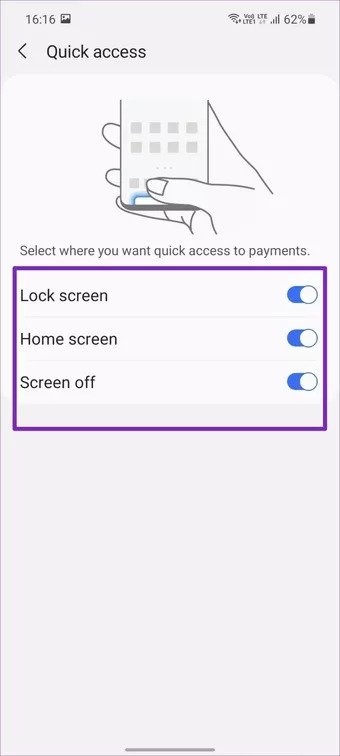
- Disable toggle Samsung Pay access from the Lock screen, Home screen, and Screen off.
Method 2: Uninstall Samsung Pay
If you have a newer Samsung phone, you should be able to uninstall Samsung Pay with little effort.
- Open the App drawer.
- Press and hold the Samsung Pay icon until the menu appears.
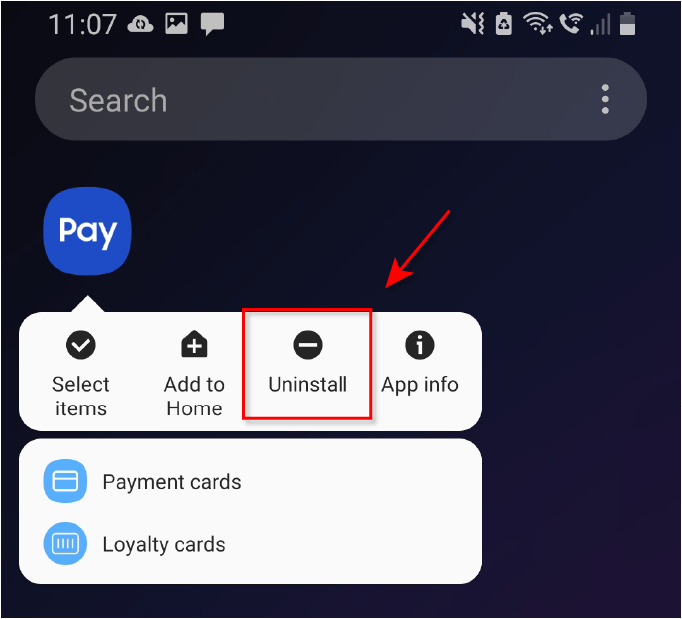
- Tap Uninstall and then tap Ok.
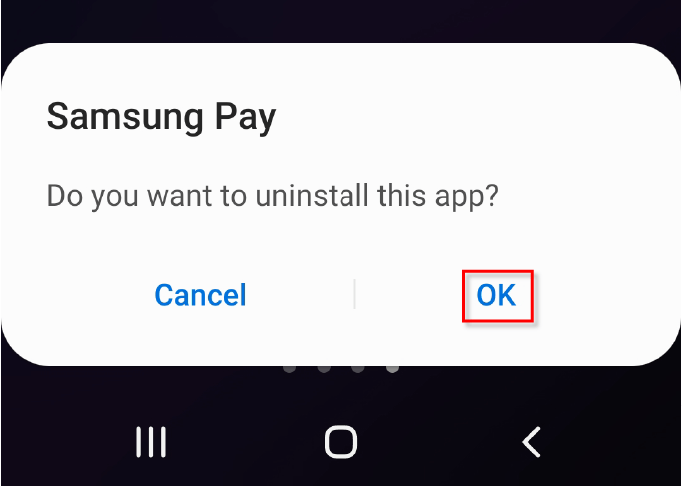
- Now you’ve entirely removed Samsung Pay from your phone.
Editor’s picks:

Daniel Barrett
Author
Daniel Barrett is a tech writer focusing on IoT, gadgets, software, and cryptocurrencies. With a keen interest in emerging technologies, Daniel offers expert analysis and commentary on industry trends. Follow him for authoritative insights into the latest tech innovations.
Latest Articles
Popular Articles